 ProblemPick
How to Improve a Laptop Desk Setup in a Small Space
Keep the center clear for input, then fix the one limitation that interrupts work most. Raise the laptop on a stable foldable stand and add compact external controls when screen and keyboard positions conflict. Choose an arm-mounted monitor only if you need more display area, or a clamp lamp when local light is the real problem. Measure every footprint and clamp surface first.
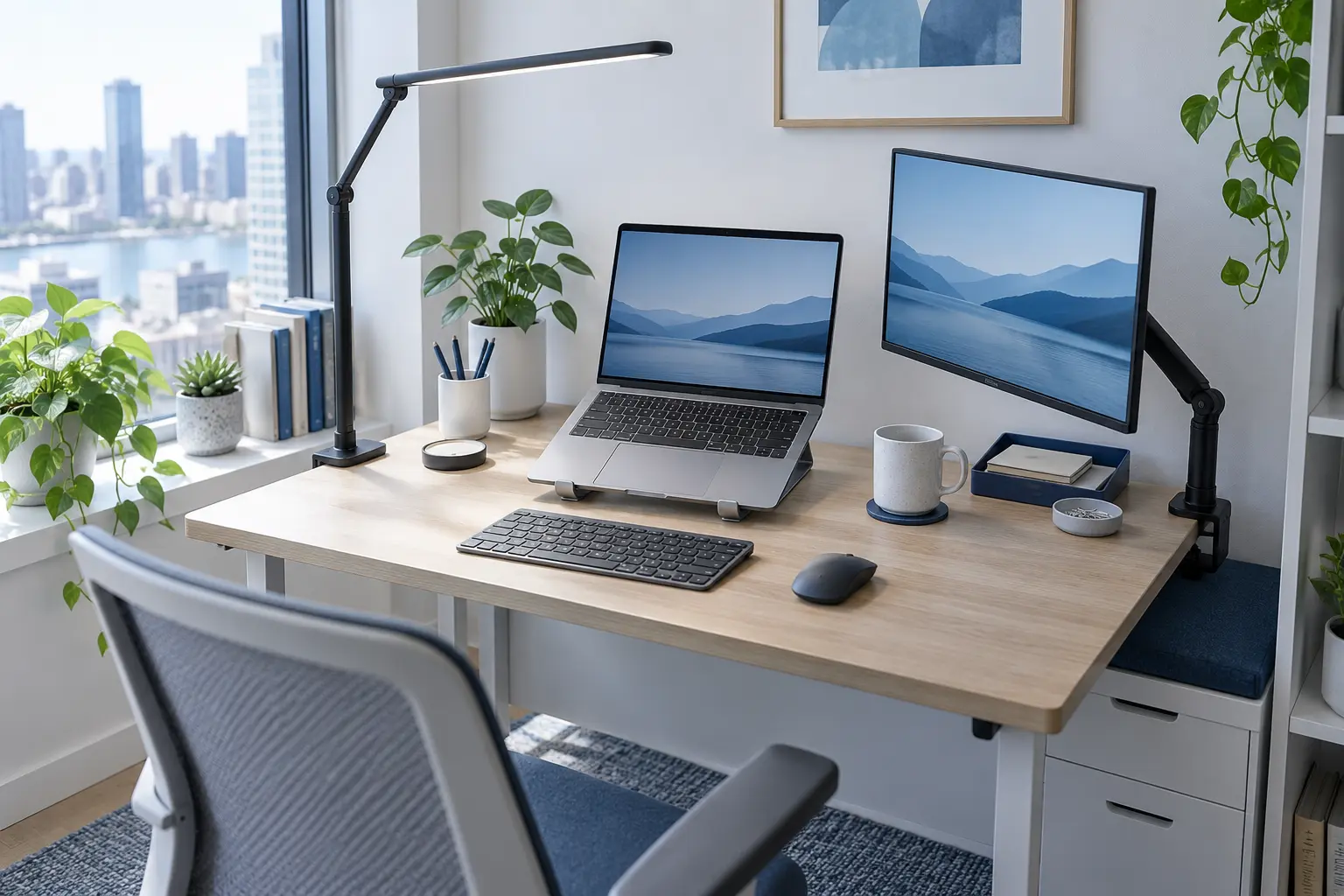
Setup limits: These are general workspace-selection checks, not medical advice. Stop using an unstable stand or clamp immediately. Follow the desk, laptop, monitor and accessory manufacturers' load, mounting, ventilation and electrical instructions.
What should you measure before buying a laptop-desk accessory?
Measure usable width and depth after subtracting the wall gap, rounded corners, shelves and objects that cannot move. Mark the space needed for your hands, keyboard, pointer and any paper used during the task. A product can fit the tabletop and still fail because its clamp meets a frame underneath or its arm collides with the wall.
Check the complete workstation rather than chasing one universal height. The OSHA Computer Workstations eTool uses reference points such as keeping the head and neck aligned, shoulders relaxed, elbows close and supported, and the top of the monitor at or just below eye level. These are useful setup checks, but individual equipment and tasks still determine the final position.
Which four upgrades solve different small-desk problems?
Foldable adjustable laptop stand
Best when the laptop screen sits too low but the desk must return to another useA stand raises and tilts the laptop while using less permanent space than a shelf. A foldable model can leave the table when work ends. Once the screen is raised, plan to type on a separate keyboard and use a separate pointing device rather than reaching up to the laptop deck for long sessions.
- Benefits
- Lets screen and input positions be adjusted separately
- Folds away on a shared table
- May leave a small usable area below the raised laptop
- Check before buying
- Measure laptop width, depth and weight, plus the stand's footprint at the height you expect to use. Check stable front stops, non-slip contact points, ventilation clearance, hinge resistance and whether the screen can open without changing balance.
- Possible drawback
- It adds another setup step and does not create a complete workstation by itself. A narrow, light or highly raised stand can move when the laptop is touched.
Compact external keyboard and pointing device
Best when you raise the laptop or need more room for typing and pointer movementA compact keyboard and mouse or trackball separate the controls from the screen. A tenkeyless or smaller layout can preserve mouse space, but removing keys or changing the layout may slow work that depends on a number pad or dedicated navigation keys.
- Benefits
- Keeps controls at desk level when the laptop is raised
- Compact layouts leave more pointer space
- Can be stored independently when the table is shared
- Check before buying
- List the keys and shortcuts you use, then compare the real width and depth. Check operating-system support, wired versus wireless connection, battery or charging method, device switching, receiver storage and whether the desk has enough room for both hands and the pointer.
- Possible drawback
- It adds charging, pairing or cable management and may occupy more total pieces than the laptop alone. Very small layouts can make familiar keys harder to find.
Single monitor on a desk-clamp arm
Best when one larger primary screen is worth more than a completely clear desktopA compatible arm moves the monitor stand off the work surface and lets the display be repositioned. It is useful for documents, spreadsheets or frequent window switching, but it adds weight at the desk edge and still needs a safe cable route.
- Benefits
- Removes the monitor base from the active surface
- Allows one primary screen to move with the task
- Can place the laptop beside or below the display
- Check before buying
- Confirm the monitor's VESA pattern, weight without its stand and cable connections. Measure the arm's reach and folded depth. Check the desk maker's clamp rules, edge thickness, under-edge obstructions, wall clearance, load rating and whether a reinforcement plate is recommended.
- Possible drawback
- A clamp can mark or overload an unsuitable desktop, and the arm may need more rear clearance than expected. It is a poor match for glass, weak, hollow or prohibited clamp surfaces.
Slim clamp-on task lamp
Best when papers or the keyboard need light but a lamp base would consume the work zoneA clamp lamp uses the desk edge and can direct light toward the task. It solves local lighting, not screen position or storage. Choose a head and arm that can stay outside the display and camera view without reflecting brightly in the screen.
- Benefits
- Preserves surface area
- Moves between paper and keyboard tasks
- Can be removed from a shared table
- Check before buying
- Check the desk edge material and clamp range, including any frame beneath it. Compare arm reach, head depth, controls, cable length and replaceable versus integrated light source. Confirm the clamp pads are suitable for the finish and the lamp can stand clear of curtains and shelves.
- Possible drawback
- It needs a compatible edge and power route. A long arm can wobble, block the monitor or create glare if the head and screen cannot be positioned independently.
ProblemPick compares product types, not specific offers. Amazon displays current products, prices, ratings and availability only after you choose to open a link.
Quick comparison: which upgrade earns its space?
| Product type | Best use | Main limitation |
|---|---|---|
| Foldable adjustable laptop stand | Best when the laptop screen sits too low but the desk must return to another use | It adds another setup step and does not create a complete workstation by itself. A narrow, light or highly raised stand can move when the laptop is touched. |
| Compact external keyboard and pointing device | Best when you raise the laptop or need more room for typing and pointer movement | It adds charging, pairing or cable management and may occupy more total pieces than the laptop alone. Very small layouts can make familiar keys harder to find. |
| Single monitor on a desk-clamp arm | Best when one larger primary screen is worth more than a completely clear desktop | A clamp can mark or overload an unsuitable desktop, and the arm may need more rear clearance than expected. It is a poor match for glass, weak, hollow or prohibited clamp surfaces. |
| Slim clamp-on task lamp | Best when papers or the keyboard need light but a lamp base would consume the work zone | It needs a compatible edge and power route. A long arm can wobble, block the monitor or create glare if the head and screen cannot be positioned independently. |
Which product fits the bottleneck on your desk?
Do you look down at the laptop but have enough desk depth?
Start with a stable foldable stand and reserve space for a separate keyboard and pointer. Raising only the screen is useful when the controls stay at a comfortable desk level.
Does a full-size keyboard leave nowhere to move the mouse?
Compare compact layouts by the keys you genuinely use. Tenkeyless keeps more familiar navigation keys; smaller layouts save more width but require a greater change in habits.
Do you repeatedly switch between several windows?
A single arm-mounted monitor may earn its space, provided the desk and display are compatible. If one laptop screen already supports the task, the arm, monitor and extra cables add complexity without solving a real problem.
Is the keyboard or paper dim while the screen is bright?
Use a slim clamp lamp for local light and position its head outside the screen reflection. A lamp cannot correct screen height, insufficient input room or a weak desk.
In what order should you build a compact laptop setup?
For papers, trays and small accessories, use our separate desk organization guide. If fixed and charging cables are the main problem, the desk cable-clutter page compares cable trays, clips, reusable ties and ventilated boxes. If the physical pad moves during pointer use, compare four ways to stop a mouse pad from sliding.
Small laptop desk buying checklist
Small laptop workspace questions
Is a laptop stand useful without an external keyboard?
It can improve screen position for watching or short interactions, but a raised laptop also raises its keyboard and trackpad. For sustained desk work, separate controls let screen and input positions be adjusted independently.
How small should an external keyboard be?
Choose the smallest layout that keeps the keys your work actually needs. Removing the number pad saves width; smaller layouts save more but may move or hide navigation and function keys.
Can every desk hold a clamp monitor arm?
No. Glass, hollow, thin, weak or heavily beveled tops may be unsuitable, and a frame beneath the edge can block the clamp. Follow both the desk and arm manufacturers' rules.
Should the laptop or external monitor be the main screen?
Make the screen used for the longest focused task easiest to view from the central working position. Place the secondary display so occasional glances do not require the whole setup to be off-center.
Is a monitor light bar the same as a clamp lamp?
No. A light bar mounts on a compatible monitor and mainly lights the desk area below it. A clamp lamp attaches to the desk edge and usually offers more reach, but it needs edge space and may cast reflections if placed poorly.
What should I upgrade first on a very small desk?
Fix the repeated bottleneck. If screen and keyboard positions conflict, begin with a stand and separate controls. If the desk is simply cluttered, reorganize before adding display or lighting hardware.